

Before you start: gather credentials
Five minutes of prep saves an hour of context switching. Open a tab for each tool you’ll connect and have these handy:- GitHub. Org-admin access (for the GitHub App install path), or a PAT with
reposcope. - Observability provider. Typically Datadog, Grafana, or Prometheus. API key + app key + site/URL.
- Incident provider. PagerDuty, Incident.io, or Rootly. Read API key.
- Errors / traces. Sentry, Rollbar. Auth token.
- Logs (deep). If your team uses Splunk, Elasticsearch, OpenSearch, Loki, or Sumo Logic. Endpoint + token.
- Cloud. AWS access. Either an IAM role ARN (preferred) or an access key pair with read-only policies.
- Tickets. Jira. Domain + email + API token.
- Internal alert URL patterns. If your team has in-house alerting, grab one example alert message so you can write a regex against it later.
The recommended day-one set
If you’re starting cold and want a sane minimum, this combo covers most teams:- Code. GitHub
- Observability. Datadog or Grafana or Prometheus
- Incidents. PagerDuty or Incident.io
- Errors. Sentry
- Cloud. AWS
Open the integrations index
Open Settings → Integrations. Connected sources show a green dot; everything else is one click from a setup wizard.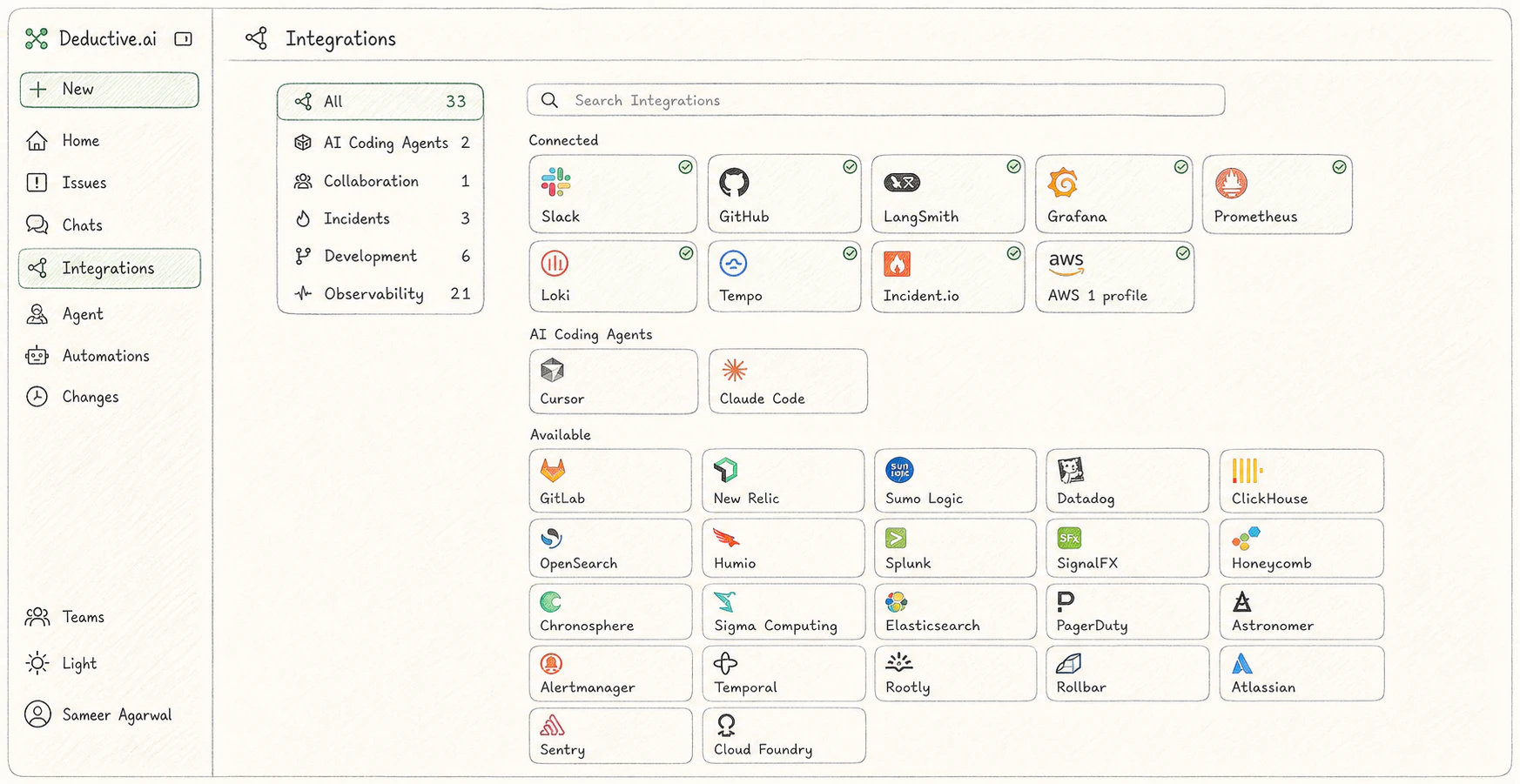
Integrations index. Your goal in this sitting is to flip as many of these green as you reasonably can.
Code
GitHub (recommended: GitHub App)
GitHub (recommended: GitHub App)
The fastest, safest path is the Deductive GitHub App for
github.com.- Settings → Integrations → GitHub → Install GitHub App.
- GitHub redirects to its app installation page. Choose the org and the repos you want Deductive to read. Read access is enough. Deductive never writes to your repos.
- Confirm. The connector flips to a green dot when GitHub’s callback completes.
repo scope at GitHub Settings → Developer settings → Personal access tokens, paste it into Deductive along with your hostname (github.com or github.yourcompany.com, no https://, no trailing slash), click Test connection.Per-field detail and edge cases: GitHub integration.Observability
Pick at least one. Most teams have a primary metric/log provider; connect that one first. Adding more later is fine.Datadog
Datadog
The safest path is a read-only service account so Deductive sees observability data only.
- In Datadog, create (or reuse) a service account and assign it the Datadog Read Only role.
- From the service account, create a Datadog Application Key with Unscoped scope. (Unscoped app keys automatically include the read permissions you need.)
- Create a standard Datadog API Key for authentication.
- Note your Datadog site (
datadoghq.com,datadoghq.eu,us3.datadoghq.com, etc.). - In Deductive, paste API key + app key + site into Settings → Integrations → Datadog, click Test connection.
Grafana
Grafana
Service-account token is the modern path; API key is the legacy path.
- In Grafana, navigate to Administration → Users And Access → Service accounts.
- Add service account with role Editor or Admin.
- Add service account token, copy the
glsa_…token immediately. - Note your Grafana URL: for cloud,
your-org.grafana.net; for self-hosted, the bare domain (nohttps://, no path). - In Deductive, paste URL + token into Settings → Integrations → Grafana, click Test connection.
Prometheus
Prometheus
For self-hosted Prometheus or any Prometheus-compatible query API.
- Determine your Prometheus query endpoint (e.g.
https://prometheus.example.com). - If your endpoint is auth-protected, gather the credential it requires (basic auth, bearer token, etc.).
- In Deductive, paste the endpoint and credential into Settings → Integrations → Prometheus, click Test connection.
New Relic
New Relic
- In New Relic, generate a User API key under API keys.
- Note your account region (
usoreu). - Paste both into Settings → Integrations → New Relic in Deductive. Click Test connection.
Incidents
Pick the one your team uses. If you have multiple (e.g. PagerDuty for paging, Incident.io for IM), connect both.PagerDuty
PagerDuty
- In PagerDuty: Integrations → Developer Tools → API Access Keys → Create New API Key.
- Pick Read-only.
- Copy the key (PagerDuty only shows it once).
- Paste into Settings → Integrations → PagerDuty in Deductive. Test connection.
Incident.io
Incident.io
- In Incident.io: Settings → API keys → Create new API key.
- Grant the standard read scopes for incidents and post-incident actions.
- Paste into Settings → Integrations → Incident.io in Deductive. Test connection.
Rootly
Rootly
- In Rootly: Settings → API keys → New API key.
- Grant read scopes for incidents.
- Paste into Settings → Integrations → Rootly in Deductive. Test connection.
Errors & traces
Sentry
Sentry
- In Sentry: Settings → Auth Tokens → Create New Token.
- Grant
event:read,org:read,project:read. - Paste token + your Sentry org slug into Settings → Integrations → Sentry in Deductive. Test connection.
Rollbar
Rollbar
- In Rollbar: Account Settings → Account Access Tokens → Create new token.
- Choose
readscope. - Paste into Settings → Integrations → Rollbar in Deductive. Test connection.
Cloud
AWS (recommended: IAM role)
AWS (recommended: IAM role)
The recommended path is a cross-account IAM role with read-only managed policies.
- In AWS: IAM → Roles → Create Role.
- Select AWS account as the trusted entity. Set the trust policy to allow Deductive’s account ID (shown in Settings → Integrations → AWS in Deductive).
- Attach
ReadOnlyAccess(or a tighter custom read policy if your team prefers). - Optionally set an External ID for additional security.
- Note the role ARN (
arn:aws:iam::<account>:role/<role>) and your primary AWS region. - Paste role ARN + region (and external ID if used) into Deductive. Test connection.
Deep logs (optional)
If your team’s primary log provider isn’t already covered above, connect it here.Splunk
Splunk
- In Splunk: Settings → Tokens → New Token.
- Note your Splunk endpoint (e.g.
https://splunk.example.com:8089). - Paste endpoint + token into Settings → Integrations → Splunk in Deductive. Test connection.
Elasticsearch / OpenSearch
Elasticsearch / OpenSearch
- Note your cluster endpoint and an API key or basic-auth credential with read access on the indices you want Deductive to query.
- Paste into Settings → Integrations → [Elasticsearch | OpenSearch] in Deductive. Test connection.
Loki
Loki
- Note your Loki endpoint (Grafana Cloud users:
logs-prod-X.grafana.net). - Generate a Grafana service-account token with logs read access (or use basic auth for self-hosted).
- Paste into Settings → Integrations → Loki in Deductive. Test connection.
Sumo Logic
Sumo Logic
- In Sumo Logic: Manage Data → Access Keys → Add Access Key.
- Paste access ID + access key + endpoint into Settings → Integrations → Sumo Logic in Deductive. Test connection.
Tickets & alert routing
Jira
Jira
- In Atlassian: Account Settings → Security → API Tokens → Create API Token.
- Note your Jira domain (
yourcompany.atlassian.net, nohttps://). - Paste domain + your Atlassian account email + token into Settings → Integrations → Jira in Deductive. Test connection.
Alertmanager
Alertmanager
For Prometheus-based alerting where you want Deductive to see alert lifecycle (firing/resolving) in addition to the metrics that triggered them.
- Note your Alertmanager endpoint.
- Paste into Settings → Integrations → Alertmanager in Deductive. Test connection.
Test every connection
Each connector has a Test connection button. Click it for every connector you added. Don’t skip. A successful test does three things at once:- Validates the credential against the upstream API
- Lists at least one resource (a repo, a metric scope, an incident) so you can confirm Deductive can actually read data
- Flips the connector to a green dot in the integrations index
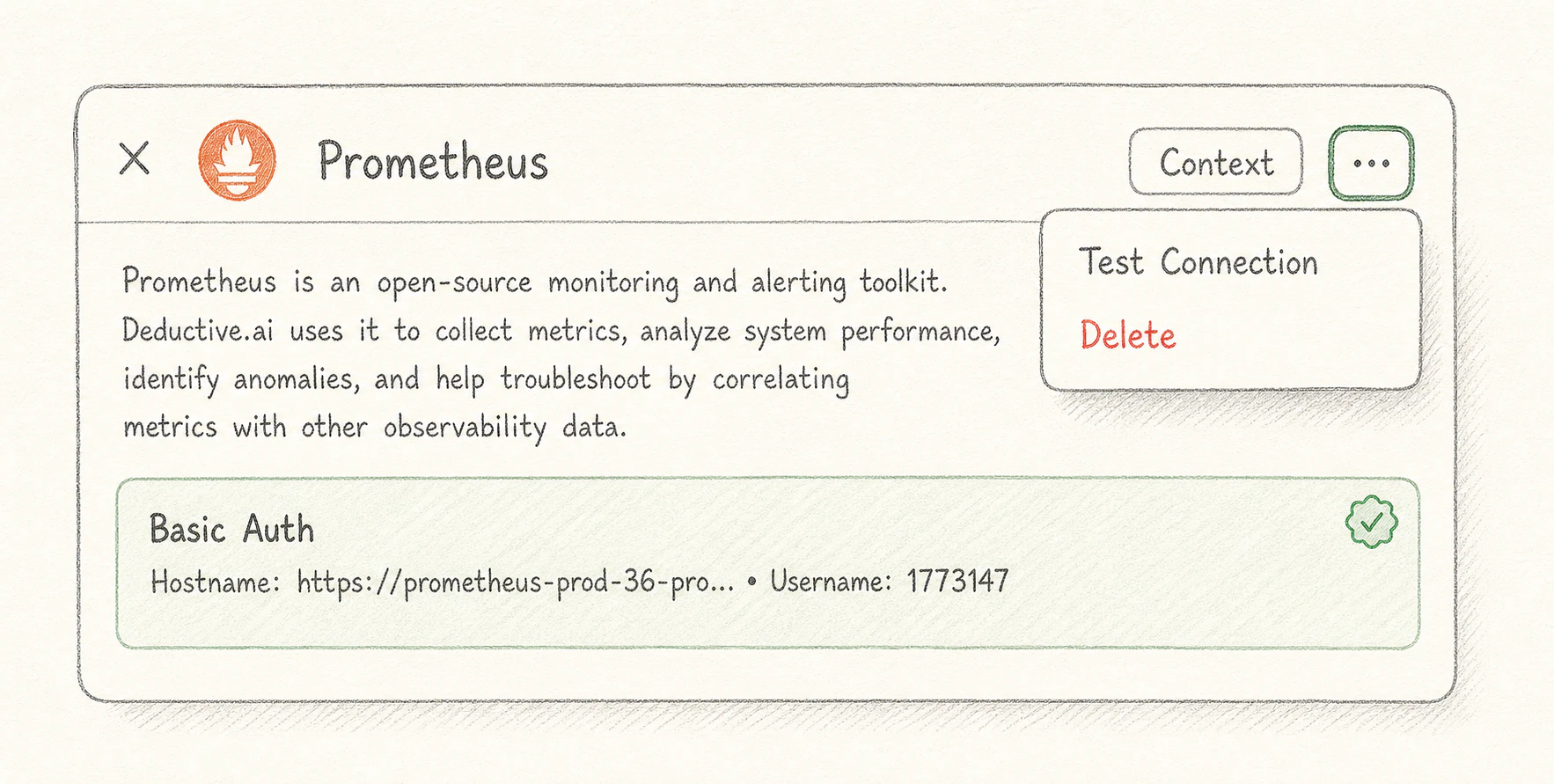
Successful test connection. Note the listed repos/metrics/incidents. That's the proof Deductive can see your data.
Verify the cross-source agent works
Once you have at least three categories green (e.g. GitHub + Datadog + PagerDuty), kick off a real investigation as a smoke test. From the home page, ask:“Summarize last week’s incidents and group them by likely cause. For each cause, point at the code change or config change that likely produced it.”If the answer references both specific incidents (proves the incident connector is reading) and specific commits or PRs (proves the code connector is reading), the cross-source reasoning is working. You’re done with the hardest part.
What just happened
You set up the workspace’s data plane in one sitting. Every connector you added is now indexing. Small accounts catch up in minutes, larger ones over the next couple of hours. None of your team has to repeat this work; they just sign in.Try this next
Connect Slack
Install the Slack workspace bot. After this, your team can wire alerts into Deductive themselves.