

What this page assumes
The Deductive Slack app is already installed in your workspace (admin one-time work. See Admin setup → Connect Slack if it isn’t), and the bot is invited to the channels where you want to use it. This page covers the day-to-day “talk to Deductive in Slack” patterns. Auto-investigation setup is at Wire alerts to auto-investigate.Talk to Deductive in any thread
Two ways to start a conversation:Mention the bot
@Deductive followed by your question. Works in any channel the bot is in, in DMs to the bot, and in threads on existing messages.
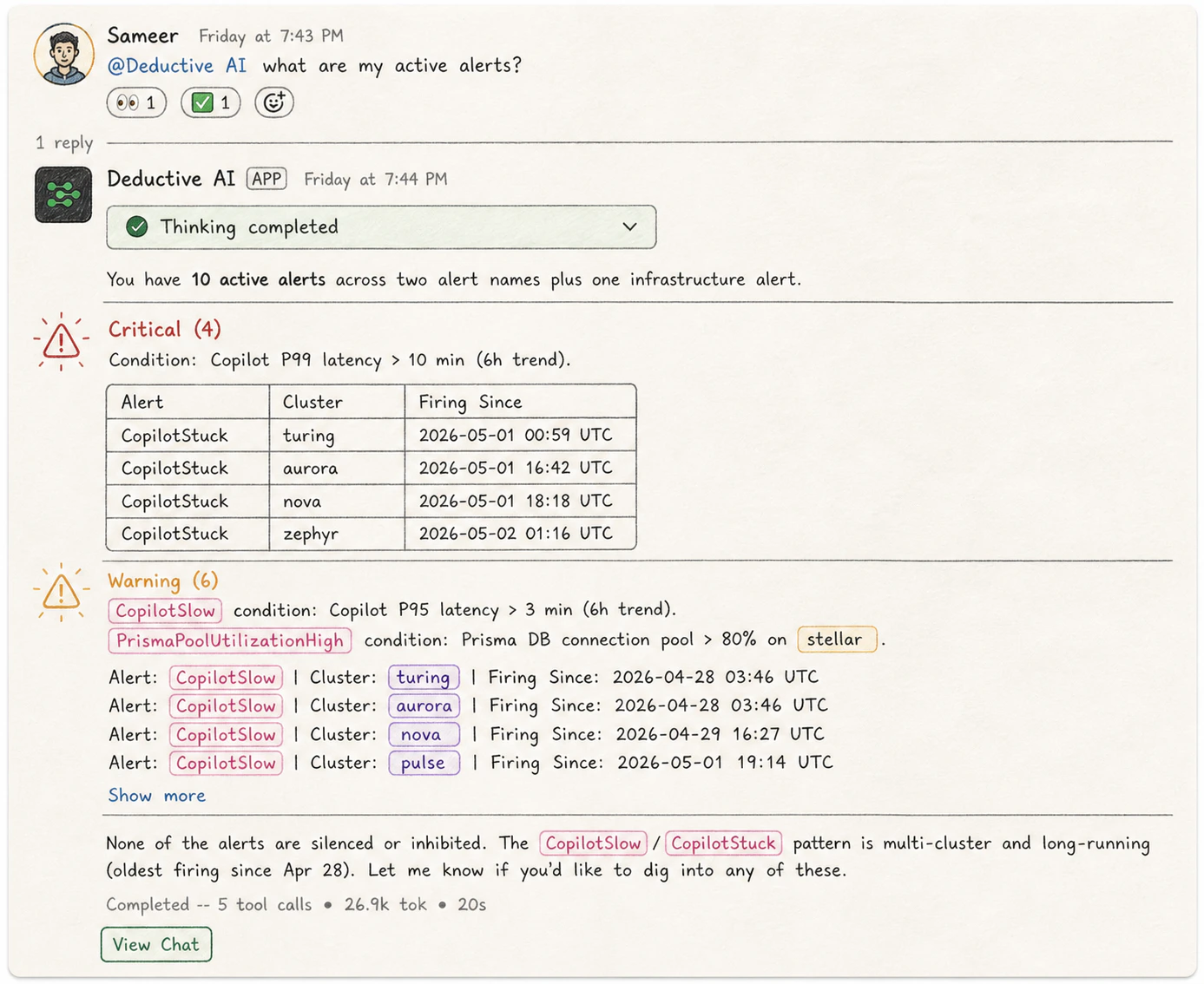
Mentioning Deductive in a channel. The reply is a summary; the web UI link opens the same conversation in the web app.
Reply in an alert thread
When an alert fires and Deductive auto-investigates, the alert’s thread becomes the working surface. Replying with a follow-up. Even without@Deductive. Extends the same investigation.
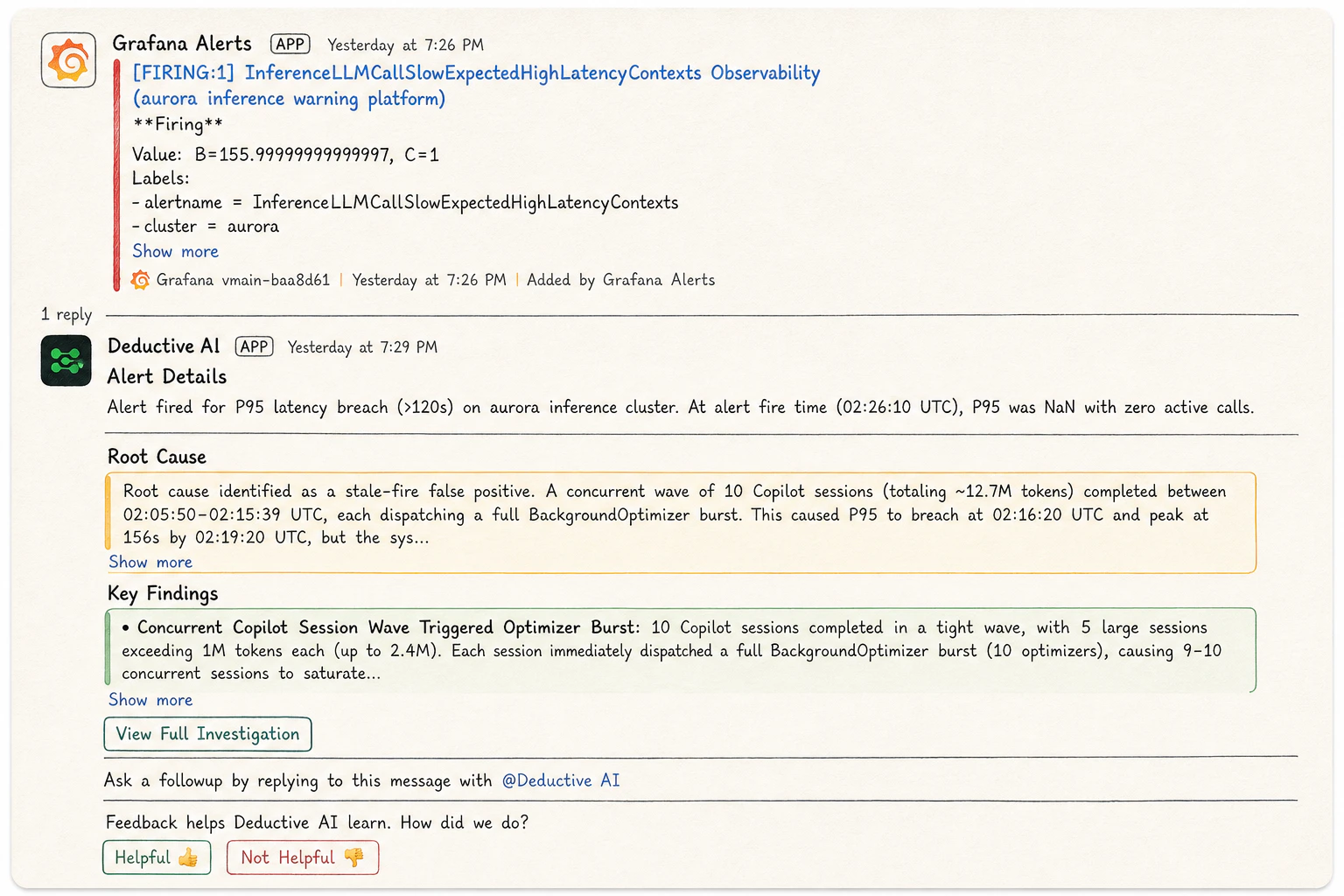
Replying in an alert thread continues the same investigation. No @Deductive needed.
Keep your team in the loop
A few patterns that compound nicely: Drop a canvas link into your incident channel as the on-call work proceeds. The canvas keeps updating as Deductive (and you) refine the investigation, so a link posted at minute 2 is still useful at minute 30. It beats pasting findings repeatedly. Reply to Deductive’s investigation reply with a confirmation or correction. That reply is captured as feedback (see Teach Deductive), which means your in-thread “yep, root cause was the deploy, reverting now” makes the next investigation of the same kind sharper. Reuse a reinforced decision tree. When a question matches a tree your team has already reinforced, Deductive’s reply names it inline (“reusing reinforced path:payments-deploy-regression”). Teammates can see exactly which canonical reasoning path is being applied and decide whether it’s still the right one.
Try this next
Wire alerts to auto-investigate
If you skipped this earlier, this is the page that turns Slack from “chat with the bot” into “the bot is doing work for you”.
Teach Deductive
Replies in alert threads are feedback. Make them count.