

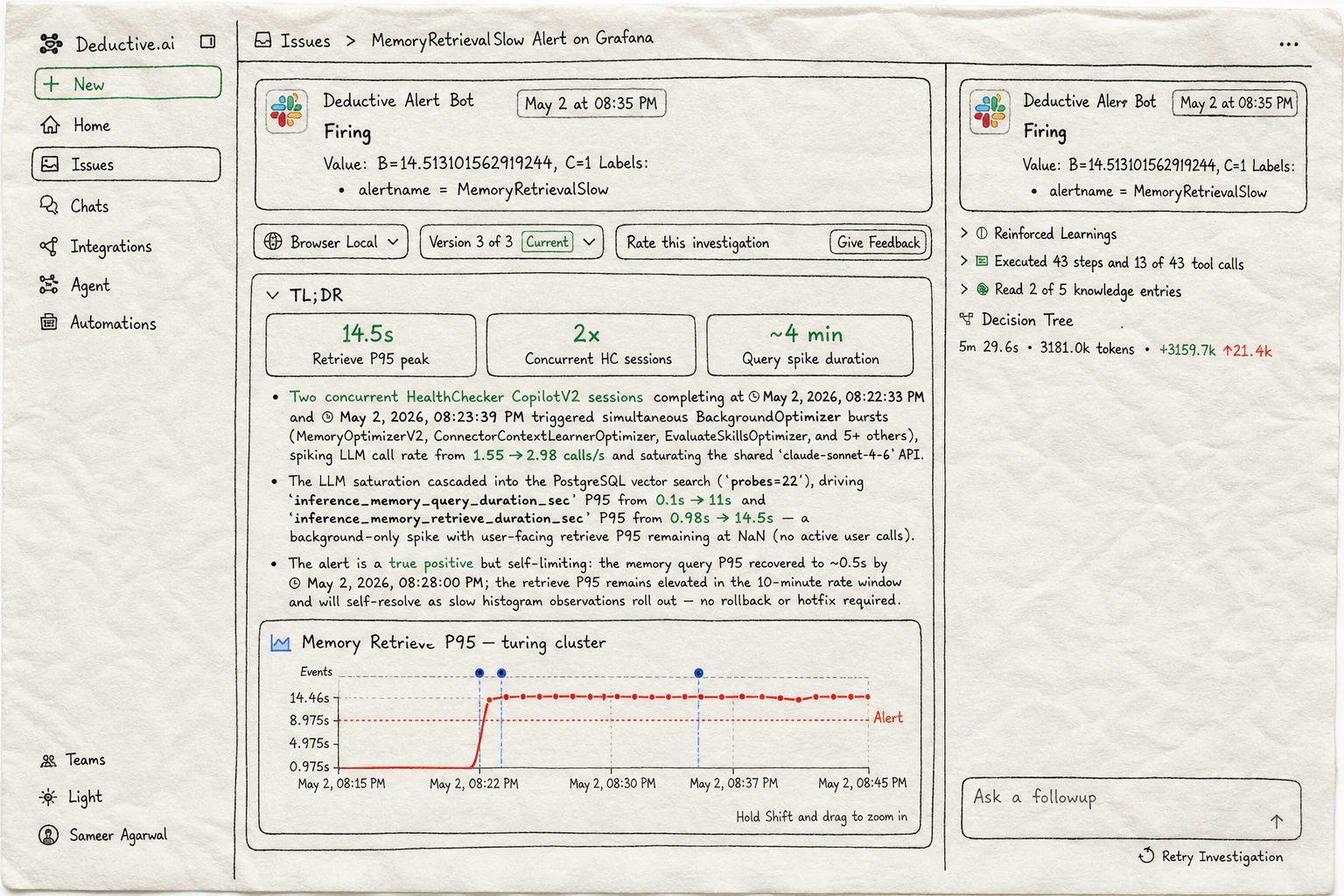
What a Deductive investigation looks like: an alert fires, the agent triages it end-to-end, and the result is a TL;DR with metrics, an evidence chart, and a decision-tree summary you can dig into.
What Deductive actually is
Deductive is a production engineering agent that reads your code, telemetry, and incidents, reasons across all of it in parallel, and shows you its work. Not a chatbot wrapped around a search index. Not a summarizer. A reasoning engine you can argue with, watch think, and teach. When you ask it a question, it:- Forms multiple hypotheses about what could be happening
- Spawns tools in parallel to gather evidence for each one (log queries, metric pulls, code reads, deploy diffs, dashboard fetches)
- Builds a decision tree as it goes (you can open it, click any node, replay the thought)
- Lands on an answer with citations you can click through to the raw source
- Drops the conclusion into a canvas you can keep editing, share, or paste into Slack
What makes this different from “an AI chatbot for ops”
- It plans, not predicts. Every investigation produces a decision tree of branching hypotheses. You can read it. You can fork from any node.
- It reasons in parallel. The slow path of a tired engineer at 2am (check dashboard, then logs, then deploys, then config) happens concurrently. Minutes, not an hour.
- Evidence is clickable. Every claim links back to the log line, metric, trace span, or commit it came from. If a citation is wrong, you’ll see immediately.
- You teach it explicitly. Inline comments are the floor. The ceiling is reinforced decision trees: a correct outcome reinforces the exact sequence of steps that produced it; a wrong outcome penalizes the missteps.
- It lives where you work. The web app, Slack threads, Cursor, Claude Code, and PagerDuty alerts all hit the same agent and the same memory.
Get going
Your first investigation
Ask vs Investigate: the two ways to talk to Deductive and when to reach for which.
Continuous learning
The knowledge graph and the decision trees: the two surfaces that make Deductive auditable instead of mysterious.
Teach Deductive
How conversation and comments compound into reinforced decision trees and a sharper knowledge graph.
Use Deductive in Slack
Talk to Deductive in any thread. Replies in alert threads continue the same investigation.
Wire alerts to auto-investigate
Make Deductive react when an alert fires. Investigation is in the thread before you finish reading the page.
Asking better questions
Prompt patterns that work, plus role-based examples for on-call, dev, and platform.