

This is separate from the Jira data source integration, which connects Jira as read-only data via an API token. Install the Jira app here when you want to use Jira in automations; use the data source integration when you only want Deductive to reason over Jira data.
Before you start
- You must be a Jira admin on the site you want to link.
- Have your Deductive site open. The setup dialog shows the exact site URL and generates the linking code you’ll paste into Jira.
Step 1: Open Jira setup in Deductive
In Deductive, open Integrations and select Jira. The Jira Setup dialog walks you through linking in three steps.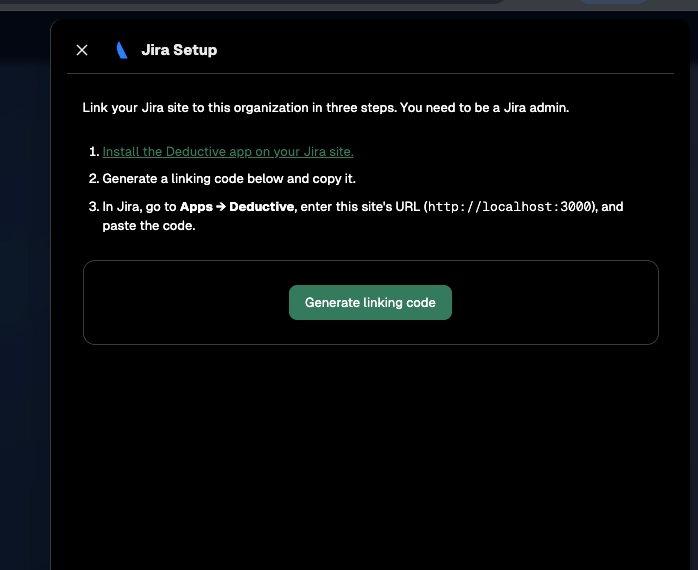
The Jira Setup dialog in Deductive. Link your Jira site to this organization in three steps.
Step 2: Install the Deductive app on your Jira site
In the setup dialog, click Install the Deductive app on your Jira site. Follow the prompts in Jira to install the app. You’ll need Jira admin permissions to complete the install.Step 3: Generate a linking code
Back in the Deductive setup dialog, click Generate linking code and copy the code. Keep the dialog open. You’ll also need the site URL shown in step 3 of the dialog.Step 4: Enter the code in Jira
- In Jira, go to Apps → Deductive.
- Enter the site URL shown in the Deductive setup dialog.
- Paste the linking code you copied.
- Confirm.